Free & open source · for Windows

Meetphant Meeting Assistant

An elephant never forgets. Turn meeting recordings into notes you can take away — record or import audio, transcribe it, and get key points, action items and decisions.

Windows 10 / 11 · App interface in Simplified Chinese · MIT licensed

Meetphant workspace: meeting list on the left, speaker-labelled transcript in the middle, key points, action items and decisions on the right

Features

You talk. The elephant takes notes.

From recording to shareable minutes, every step stays simple and in your control.

01 / 03

Record any meeting, no platform lock-in

Capture your microphone and system audio at the same time. Tencent Meeting, Feishu, Zoom, Teams or an in-person room — one click and you are recording.

  • Live dual-track levels for mic and system audio, so you know it is working
  • No meeting-app plugins, bots or host permissions required
  • Already have a recording? Import wav, mp3, m4a and more
Recording in progress: timer, dual waveform for microphone and system audio, and the active devices
02 / 03

Custom hotwords for your team’s vocabulary

Add jargon, people and product names to your hotword list. They are sent along with every transcription request for more accurate results.

  • Colleagues, customers, project code names — add once, use every time
  • Hotwords only affect transcription; summaries get their own context setting
  • Rename speakers so the notes show real names
Hotword settings with people and product names, plus summary context below
03 / 03

Connect a local LLM — your notes, your call

Summaries work with any OpenAI-compatible endpoint: pick a cloud provider, or enter a custom Base URL to use Ollama on your machine or a model hosted on your company network.

  • Custom endpoints such as http://localhost:11434/v1
  • With a local model, summarizing does not require sending meeting content to a third-party AI service
  • API keys live in the OS keychain — never in the database, never shown in plain text

Note: speech-to-text currently uses the cloud-based Doubao file transcription 2.0 service; audio is uploaded through your own Volcengine TOS bucket.

Summary model settings: custom OpenAI-compatible provider, Base URL http://localhost:11434/v1, model qwen3:14b

How it works

Three steps from audio to minutes

  1. STEP 01

    Record or import

    Capture mic and system audio during the meeting, or import an existing recording.

  2. STEP 02

    Transcribe

    Stopping a recording creates the meeting and starts transcription, with speakers separated and hotwords applied.

  3. STEP 03

    Summarize

    Get key points, action items and decisions in Chinese, English or both — copy and share.

More

And there is more

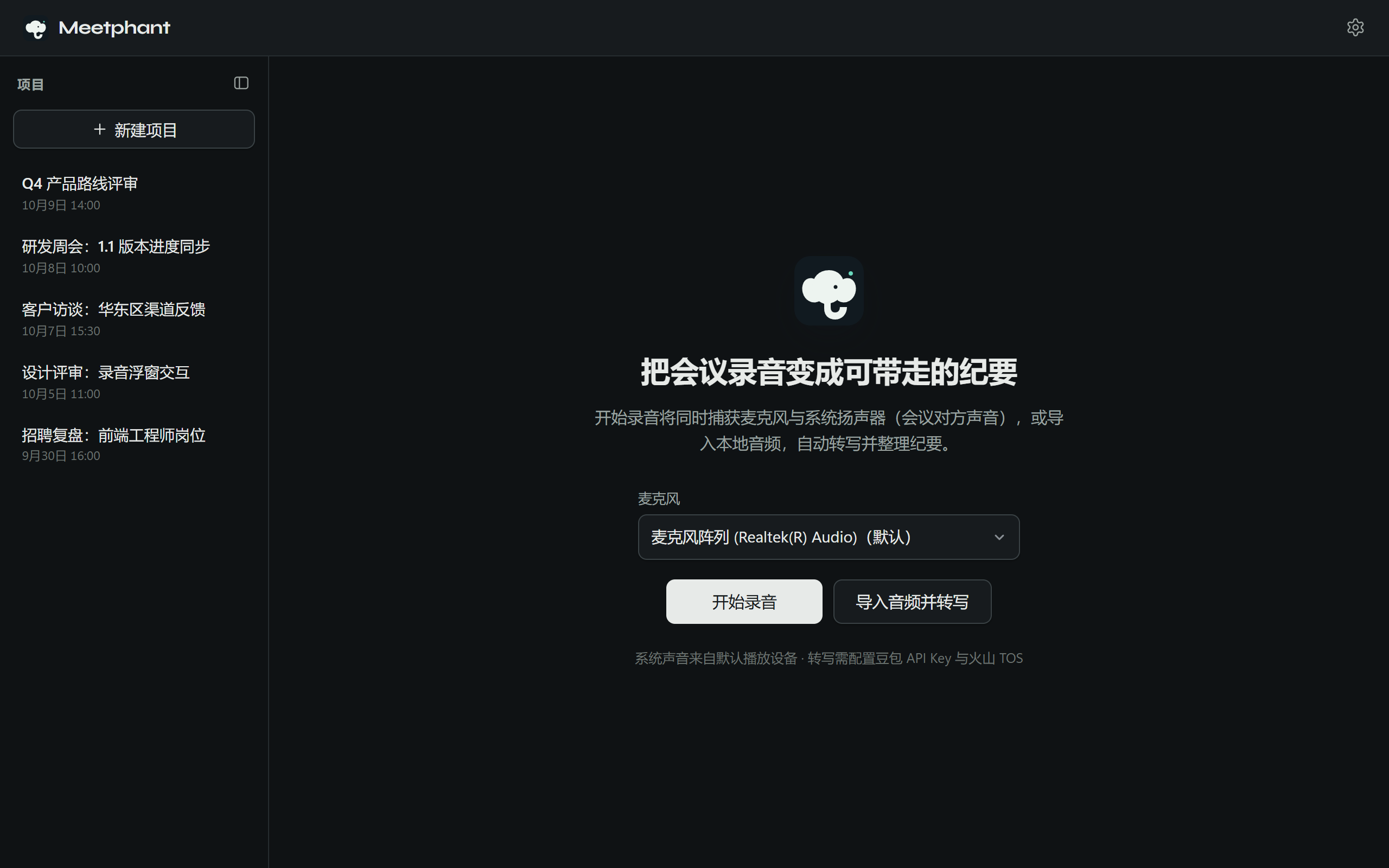
Meetphant home screen: choose a microphone and start recording, or import audio to transcribe

Import audio

wav, mp3, m4a, flac and other common formats — turn old recordings into notes too.

Points · Actions · Decisions

Structured summaries answer what was discussed, who does what, and what was decided.

Provider presets

Built-in presets for Qwen, DeepSeek, OpenAI, Kimi, Zhipu and Doubao — or bring your own.

Auto-update

Checks for new versions at launch; download, install and restart in one click.

Free & open source

Released under the MIT License — the full source is public, free to use, modify and distribute.

Let the elephant remember your next meeting

Choose the lean installer or the offline installer with FFmpeg bundled, for Windows 10 / 11.